Scheduled scans and email reports
Automate recurring checks and receive results by email, according to your plan.
Seeqer brings AI rank tracking, competitor benchmarks and practical recommendations into one monitoring routine for your website and social profiles.
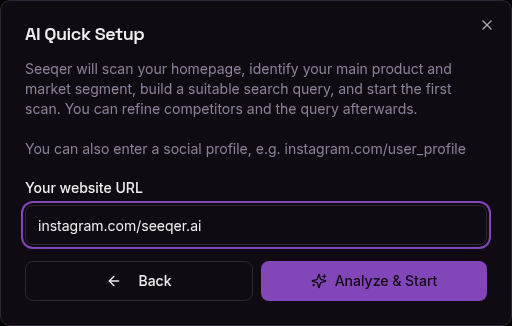
Start with a website or social profile. The AI Wizard analyzes the page, identifies the relevant context and prepares targeted queries across ChatGPT, Gemini, Perplexity and Claude.
See how often your brand is mentioned, where it appears in AI answers and how results differ by engine. Clear scores make the latest scan easy to understand.
Overall visibility combines your query and engine results. Per-engine scores and average positions show where you are strong and where a closer look is useful.

Confirm the competitors that matter, request competitor-specific AI advice and keep track of changes. Recommendations are grounded in your monitor's context.

AI answers change. Seeqer keeps a history of your brand and competitor positions so you can distinguish a one-off response from a meaningful movement.


Filter the ranking overview by period and competitor type. Open AI Advice for a detailed comparison and concrete ideas to improve your visibility.
Automate recurring checks and receive results by email, according to your plan.
Cover different products, websites, profiles and research questions in one workspace.
Run open queries without a target brand to see how AI engines describe a category and who they recommend.
Share monitors with your team or bring results into your own reporting workflow, depending on your plan.
Use a target monitor when you want to track your own presence, or an open research query when you want to understand a market.
Track whether your website or social profile appears, in what context and against which competitors. Useful for products, companies and public figures.
Example: Which AI visibility tools are recommended for a growing brand?
Explore a solution category or destination without setting a target brand. Compare the suggestions and sources different engines provide.
Example: Which software solutions help manage corporate documents?
Follow rankings and descriptions over time to catch emerging competitors, new positioning or a drop in visibility.
Example: Which bars in Paris are recommended this summer, and how does that list change?
Set up your first monitor in minutes. Free version with 1 scan per month, no credit card.
Free version
A complete picture includes more than your website
AI engines can learn from your website, social profiles, posts and videos. Monitoring these touchpoints together helps you spot gaps and understand changes in how your brand is described.
You do not need to cover everything at once. Start with your website, add the social channels your customers use and build a monitoring setup that fits your brand.
Your website
Products, services, expertise and the language you use to describe your brand.
Your social profiles
Public profiles and content that add context, activity and a broader picture of your brand.
One clearer monitoring view
Separate monitors make it easy to compare sources while keeping the same engines, queries and reporting routine.
Social platforms you can include